AmbientFocus Chrome extension popup playing Rainy Cafe Retreat with a 25-minute focus timer at 3 of 8 daily sessions
AmbientFocus logo

AmbientFocus

Free Chrome extension for focus & deep work

Ambient sounds and a focus timer, one click from your toolbar

Pick a soundscape, set a session, and work. AmbientFocus plays rain, café chatter, or brown noise to mask the world around you while a Pomodoro-style timer paces your focus and breaks, and your streaks grow day by day.

Free forever
No sign-up required
Works offline
100% private, no data tracking

Everything You Need for Focused Work Sessions

The Pomodoro technique paired with ambient noise: five soundscapes, custom sound mixes, a flexible timer, real breaks, and progress tracking, all in one Chrome extension.

Start a Focus Session in One Click

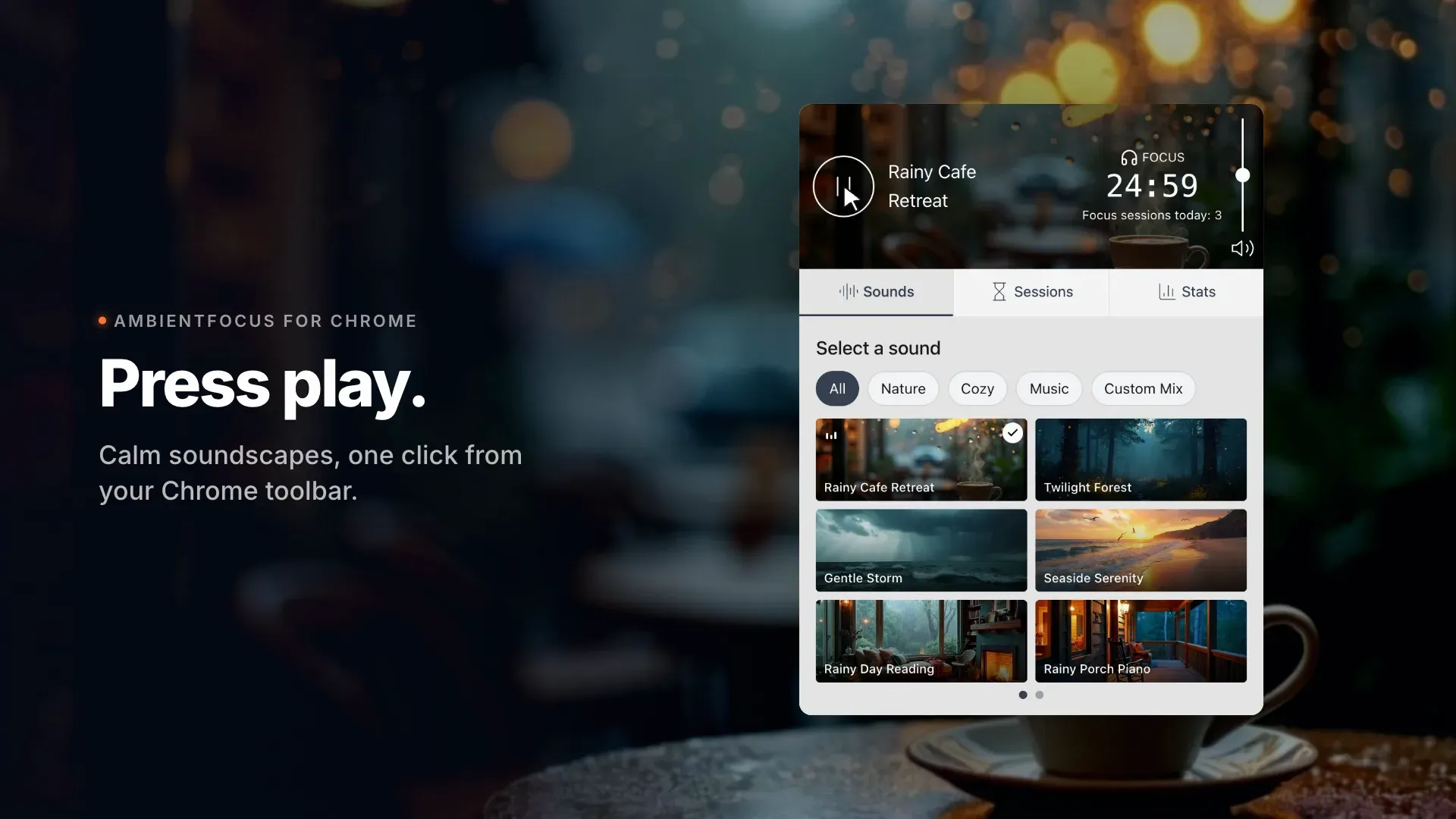
Open the popup and press play. The timer, your soundscape, and today's progress sit in a single view.

  • Pomodoro-style timer with 25/5, 50/10, 45/15, and 90/20 presets
  • Live countdown in the popup and on the extension icon
  • Daily session count and goal progress at a glance
AmbientFocus popup playing Rainy Cafe Retreat with a 25-minute Pomodoro timer and 3 of 8 daily focus sessions complete

Choose a Soundscape or Mix Your Own

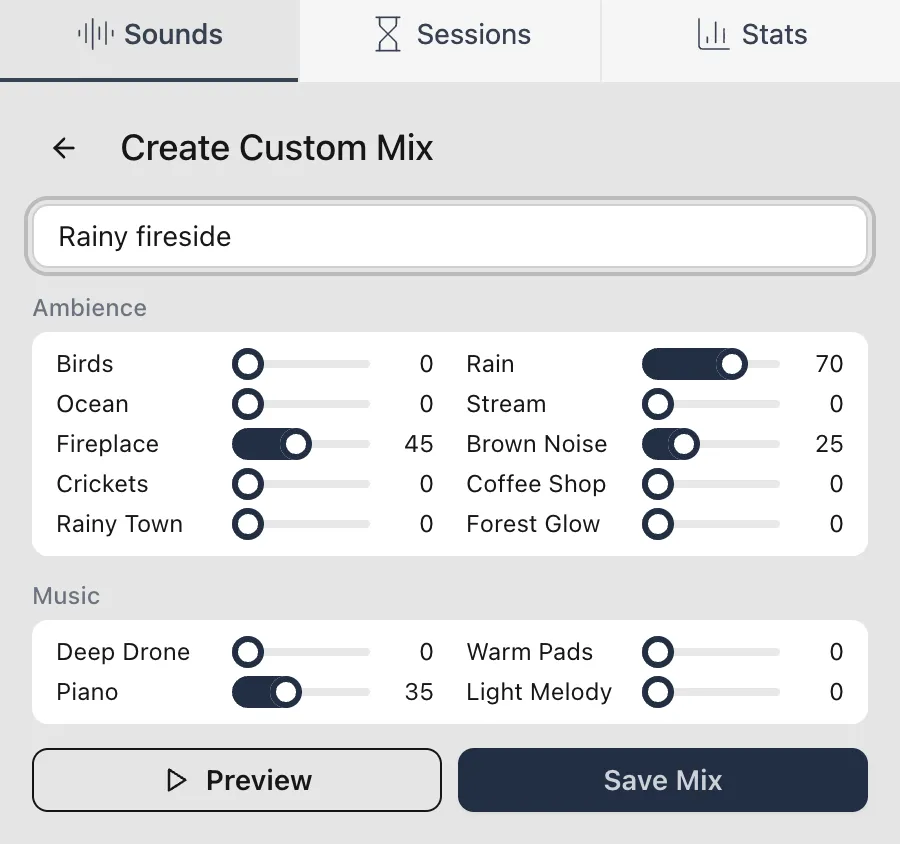
Five layered ambient soundscapes covering rain, café, forest, storm, and seaside, plus a custom mix you build from nine individual sounds.

  • Rain, thunder, ocean, birds, crickets, stream, fireplace, café chatter, and brown noise
  • Set each sound's volume and save it as your own mix
  • Preview changes live while you fine-tune the blend
Sound picker with ambient soundscape cards: Rainy Cafe Retreat, Twilight Forest, Gentle Storm, Seaside Serenity, Rainy Day Reading, and a custom mix

Set Sessions That Fit How You Work

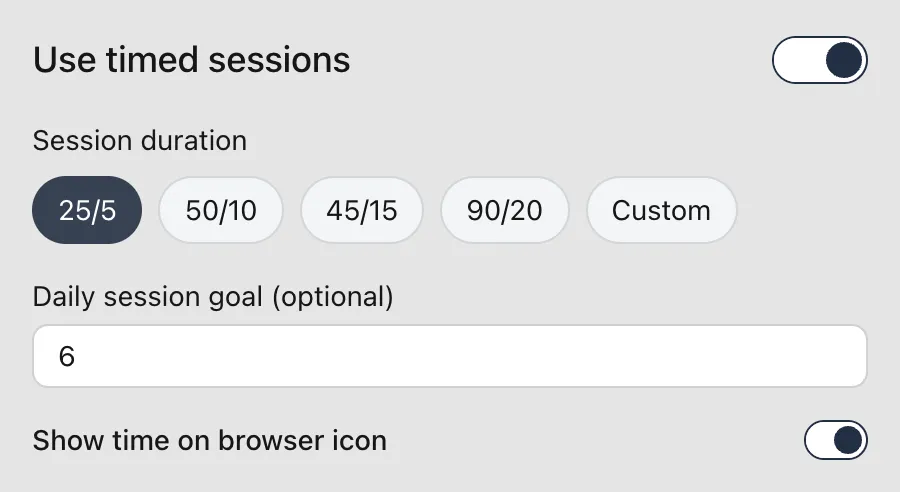
Use classic Pomodoro intervals, define your own focus and break lengths, or skip the timer entirely and just play sound.

  • Preset or fully custom focus/break durations
  • Optional daily session goal to build the habit
  • Countdown badge on the browser icon, if you want it
Session settings with the 25/5 Pomodoro preset selected, a daily goal of 8 sessions, and the timer badge enabled

Take Real Breaks

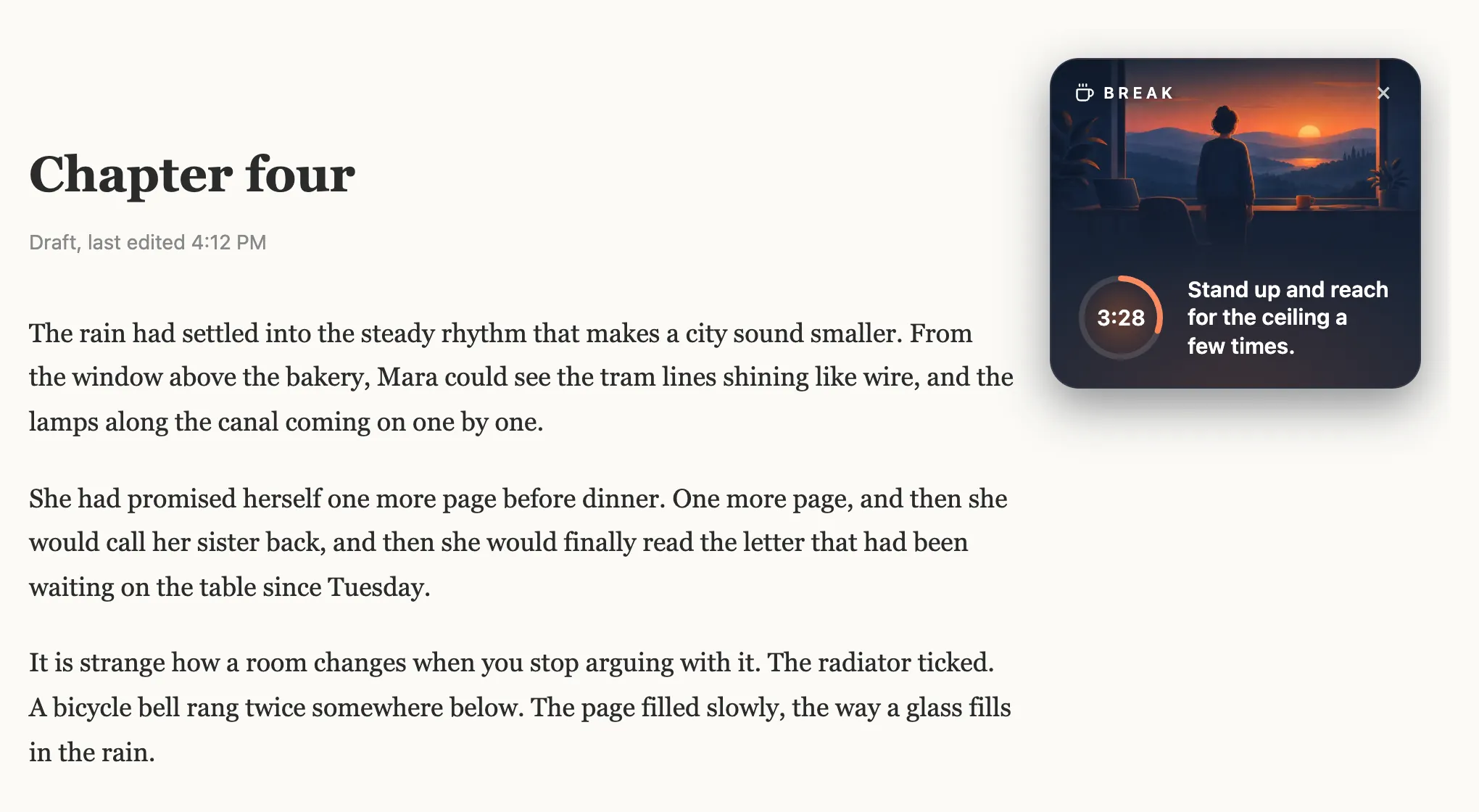
When a break starts, a small reminder appears right on the page you're reading, with a countdown and one small thing to do for yourself.

  • Break timer overlay on your active tab
  • A gentle tip each break: stretch, breathe, look away
  • Dismiss it or drag it out of the way at any time
AmbientFocus break timer with a countdown ring at 3:28 and the tip 'Look somewhere far away'

Watch Your Focus Habit Grow

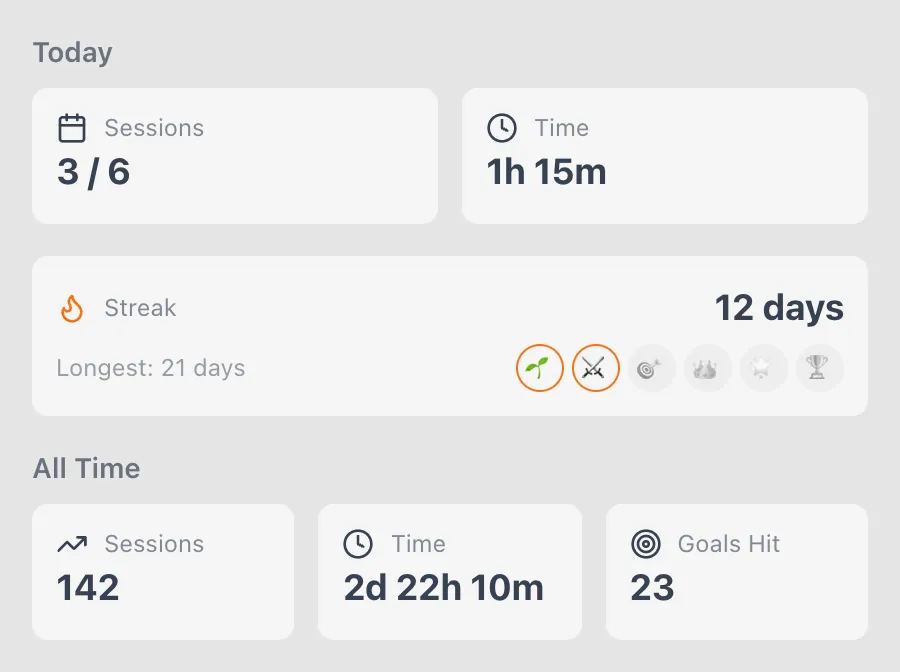
Sessions, focus time, goals hit, and day streaks, all tracked locally and visible instantly.

  • Today's sessions and focus minutes next to your daily goal
  • Streak milestones from your first 3 days to a full year
  • All-time totals that never leave your device
Productivity statistics showing 3 of 8 sessions today, 1h 15m focus time, a 6-day streak, and 142 all-time sessions

How AmbientFocus Works

Install the extension and start your first focus session in under a minute. No account, no setup.

1

Install & Pin

Click "Add to Chrome" and pin the AmbientFocus icon to your toolbar so a focus session is always one click away.

2

Pick Your Sound & Session

Choose a soundscape or mix your own, then set timed Pomodoro sessions, or leave the timer off for open-ended deep work.

3

Press Play

Work with your soundscape on, take the breaks when they come, and watch your sessions and streaks add up.

💡 Tip: set a daily session goal to build a consistent focus habit

Who Uses AmbientFocus?

Anyone who works or studies in a browser and wants fewer distractions, without another app to manage.

Remote Workers

Bring your own work environment anywhere. Café chatter and rain mask a noisy household; timed breaks keep long home-office days sustainable.

Students & Learners

Study with brown noise or a rainy-library mix, pace revision with the Pomodoro timer, and let streaks keep the habit going through the semester.

Developers & Designers

Settle into flow with a steady soundscape, keep sessions honest with the timer badge, and step away when the break reminder says so.

Frequently Asked Questions

Is the AmbientFocus Chrome extension free?

Yes. AmbientFocus is free, with no ads, no premium tier, and no hidden fees. The focus timer, all ambient sounds, custom mixes, and progress tracking are included.

What ambient sounds are included?

Five layered soundscapes (Rainy Cafe Retreat, Twilight Forest, Gentle Storm, Seaside Serenity, and Rainy Day Reading) built from nine sounds: rain, thunder, ocean, birds, crickets, stream, fireplace, café chatter, and brown noise. You can also mix your own from the individual sounds.

Does AmbientFocus work offline?

Yes. All sounds and timer features are bundled with the extension and run locally in Chrome, so it works without an internet connection: on flights, on trains, anywhere.

Does AmbientFocus support the Pomodoro technique?

Yes. Pick a preset like 25/5 or 50/10, or set custom focus and break lengths. When a break starts, a reminder with a countdown appears on the page you're viewing. You can also skip timed sessions entirely and just play sound.

What data does AmbientFocus collect?

None. Your stats, streaks, and preferences stay in your browser's local storage. There are no accounts, no analytics, and no servers. Your focus data never leaves your device.

Can I use AmbientFocus alongside other extensions?

Yes. Sounds play in the background, so AmbientFocus works alongside task managers, note-taking apps, website blockers, and any other Chrome extension.

Give Your Next Work Session a Soundtrack

Add AmbientFocus to Chrome and start your first focus session in under a minute.

Add to Chrome for Free

✓ No sign-up required    ✓ Works offline    ✓ 100% private